
Table of contents (29)Show
- How to claim the Bewakoof reward
- Bewakoof referral at a glance
- Signing up as a new Bewakoof user with a referral code
- Your own code lives on the Refer & Earn page
- Spending referral Credit at checkout
- When a Bewakoof invite doesn't pay
- Cheaper ways to pay for your first Bewakoof order
- More fashion and shopping referral codes
- Q: What can you buy on Bewakoof?
- Q: Who started Bewakoof and who owns it today?
- Q: Is Prabhkiran Singh still Bewakoof's CEO?
- Q: How much revenue does Bewakoof make?
- Q: What does the name Bewakoof mean?
- Q: What is Bewakoof TriBe and is it worth paying for?
- Q: How many days do I get to return a Bewakoof order?
- Q: How long does a Bewakoof refund take?
- Q: Does Bewakoof deliver on the same day?
- Q: How do I contact Bewakoof customer care?
- Q: Does the friend who joins through my Bewakoof link get anything?
- Q: When does referral Credit show up in my Bewakoof wallet?
- Q: Why does the Refer & Earn page mention points while the wallet says Credit?
- Q: Can I send my Bewakoof Credit to a friend or cash it out?
- Q: Will Bewakoof Credit work on sale items?
- Q: Does Bewakoof Credit run out?
- Q: Can I earn Bewakoof wallet Credit without inviting anyone?
- Q: Is GETCASH10 a Bewakoof referral code?
- Q: Could Bewakoof take back Credit I earned from referrals?
- Q: Should I sign up on the Bewakoof app or on bewakoof.com?
- Quick FAQs
Bewakoof referral code RND is for people opening their first Bewakoof account. In Bewakoof's programme the reward mainly goes to the person who invites: its wallet FAQ says Bewakoof Credit is added to their wallet once an invited friend shops. Bewakoof doesn't print the amount anywhere on its website, so the figure on the in-app Refer & Earn page is the one that counts, and your own welcome benefit is whatever the app shows when you register.
That Credit comes with conditions most code lists leave out: a ₹299 minimum cart, no use with cash on delivery, and an expiry date. Everything below is taken from Bewakoof's wallet help page, its help centre and its terms, checked in November 2026. If the idea of referral codes is new to you, read what a referral code is first.
Bewakoof referral at a glance
| Question | Answer | Source |
|---|---|---|
| What does an invite earn? | Bewakoof Credit in the inviter's wallet | Wallet FAQ |
| When is it added? | After the invited friend shops | Wallet FAQ |
| How much? | Not published online | Refer & Earn page in the app |
| Smallest cart that accepts Credit | ₹299 | Help centre |
| Usable with cash on delivery? | No, for promotional wallet money | Help centre |
| Withdraw to a bank? | No | Help centre |
| Does it expire? | Yes, on the date in the Credit section | Wallet FAQ |
Bewakoof Credit and Bewakoof Cash are different balances
Every registered account gets a wallet automatically, and it holds two kinds of money. Bewakoof Credit is promotional. Invite rewards and campaign credit go here, each credit has a validity date, and Bewakoof calls marketing credit non-refundable. Bewakoof Cash is money returned from cancelled or returned orders.
The wallet page disagrees with itself about Cash. Its FAQ says Cash "has no expiry date", while the terms further down the same page say the Cash part of the wallet expires after one year. Plan around the stricter rule. Neither balance earns interest, and Bewakoof doesn't let you add money to the wallet directly.
Signing up as a new Bewakoof user with a referral code
A Bewakoof sign-up referral code only does anything while the account is being created, so the order of steps matters.
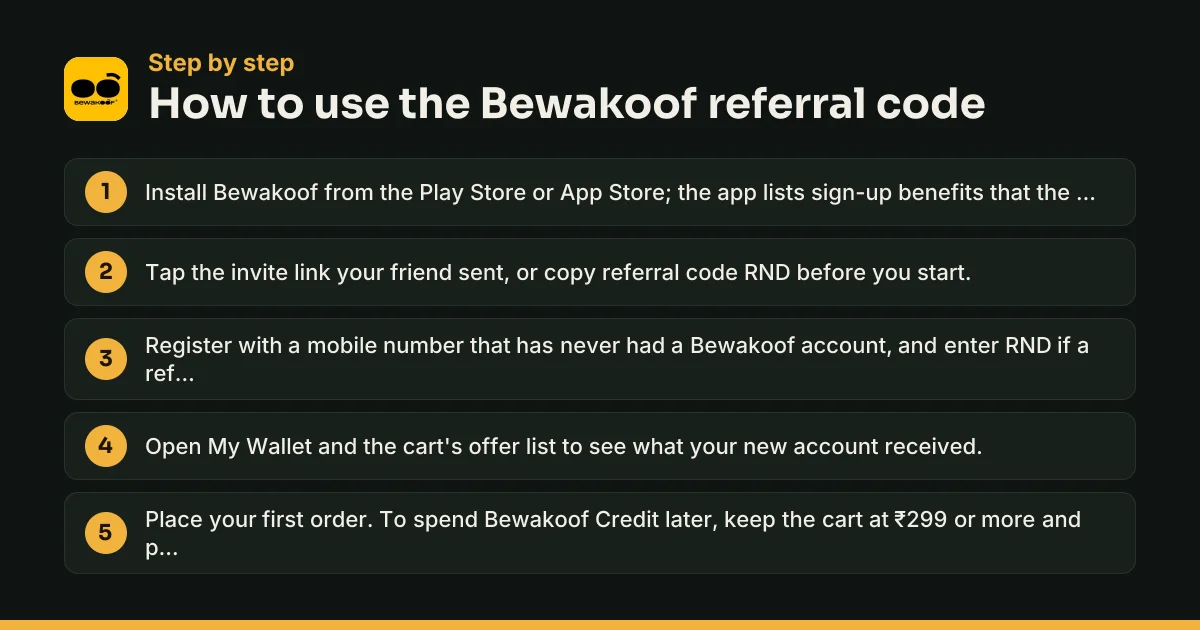
- Install the app from the Google Play listing or the App Store. The Play listing mentions sign-up benefits reserved for app downloads, which makes the app the better place to register.
- Open the invite link your friend shared, or copy RND.
- Register with a mobile number that has never been linked to a Bewakoof account.
- If the registration flow shows a referral or invite field, enter RND there before confirming.
- Look in My Wallet and in the cart's offer list to see what arrived.
How to use a referral code in Bewakoof when there's no box
Not every version of the sign-up screen shows a field for a code. When it's missing, the invite link does the job, because it carries the inviter's details into your registration. Bewakoof publishes no way to attach a code to an account that already exists, so treat sign-up as your one chance.
Is a bewakoof.com referral code different from the app's?
No. The website and the app share one account, and the referral page even has a web address: bewakoof.com/myaccount/refer-and-earn, which asks you to log in first. A code belongs to the member who shares it, not to the app or the site, so the same code works wherever you register.
Your own code lives on the Refer & Earn page
Once you have an account, open My Account in the app and tap Refer & Earn; the web address above opens the same page. Bewakoof describes it as the place to recommend the app to friends and earn rewards you can redeem later. Share the link from there over WhatsApp or any chat app. Friends who register through the link don't have to type anything.
If Refer & Earn is missing from My Account, update the app and log in again. The quickest cross-check is the web address above: if the page loads for your account in a browser, you can copy your link from there while the app catches up.
Pick people who have never used Bewakoof. The Credit is tied to them shopping, so a friend who installs the app and never orders earns you nothing.
Spending referral Credit at checkout
The wallet is ticked by default on the payment page. If the order costs more than your balance, you pay the rest by card, UPI or net banking. Three rules decide whether your Credit actually applies:
- Cart value. Bewakoof's help pages set ₹299 as the floor. A ₹249 order won't take Credit at all.
- Payment mode. Promotional wallet money can't be combined with cash on delivery. Switch to an online method and the Credit becomes usable again.
- Validity. Each credit has its own end date, listed in the Credit section of My Wallet.
Balances can't be moved to another account or withdrawn to a bank. Referral rewards are only worth chasing if you plan to buy from Bewakoof anyway.
When a Bewakoof invite doesn't pay
"Invalid code", or no field to type it in. The number or email already has a Bewakoof account, or your app version hides the field. Register through the friend's link instead.
You shared your link and saw no Credit. Your friend hasn't ordered yet, or registered without opening your link. The wallet FAQ connects the reward to shopping, not installing.
Credit is in the wallet but checkout ignores it. The cart is under ₹299, cash on delivery is selected, or the credit has expired.
Credit vanished. Bewakoof's wallet terms allow it to cancel credits and suspend accounts when it sees abusive or fraudulent use, including unusual patterns in how credit is spent.
If none of these fit, message Bewakoof on WhatsApp from its Contact Us page or email care@bewakoof.com.
Old 2019, 2020 and 2021 codes, and "today's" code
Searches for a Bewakoof referral code from 2019, 2020 or 2021, or for the latest code today, lead to lists of codes taken from other people's accounts. Each code belongs to a single member, so there is no fresh official code every morning. An old code may still work if the account behind it is active. The reward figures printed beside those codes, often ₹100 to ₹150 on coupon sites, describe offers Bewakoof never posted on its own pages, so check the amount in the app before you rely on it.
Cheaper ways to pay for your first Bewakoof order
A referral isn't the only saving open to a new customer.
- App cashback code. In November 2026 Bewakoof's Play listing advertises GETCASH10 for 10% cashback on app orders, part of its 14th-birthday offers. It is app-only and separate from the referral programme.
- Free shipping. Orders above ₹399 ship free, according to banners across bewakoof.com.
- TriBe membership. ₹399 for 12 months or ₹299 for six. Members pay no delivery fee on any order, and the plan doesn't renew on its own, per Bewakoof's terms and conditions. You can't pay the TriBe fee by cash on delivery.
- Clearance and multi-buy deals. The clearance zone and bundle prices on selected tees change often, so compare them with your referral benefit before you check out.
More fashion and shopping referral codes
See every shopping referral code we cover, or compare the Myntra referral code, the AJIO referral code and the Meesho referral code. For women's trend fashion, the Savana referral code page explains where that app hides its invite code.
Q: What can you buy on Bewakoof?
Bewakoof started with funny graphic tees and still leans on oversized T-shirts, joggers and casualwear for men and women. The app also sells footwear, mobile covers for most phone brands, its own COSMOS skincare line and officially licensed merchandise from Marvel, DC, Disney, Harry Potter, Naruto and other franchises. A few partner brands, such as boAt and Clovia, sell through it too.
Q: Who started Bewakoof and who owns it today?
IIT Bombay graduates Prabhkiran Singh and Siddharth Munot founded Bewakoof in 2012. Aditya Birla Fashion and Retail bought a majority stake through its digital-brands arm TMRW, in a ₹200 crore deal agreed in late 2022 and completed in February 2023, according to Inc42. The operating company is Bewakoof Brands Private Limited, with its registered office in Bhiwandi, Maharashtra.
Q: Is Prabhkiran Singh still Bewakoof's CEO?
No. In February 2026 he announced he would leave at the end of March 2026, after about 14 years running the brand, and help with the handover until then. Inc42 reported in October 2026 that Bewakoof had not yet spelt out its new leadership structure. TMRW has said it plans to keep building the brand inside the Aditya Birla group.
Q: How much revenue does Bewakoof make?
Inc42, citing company filings, reported revenue from operations of ₹243.1 crore for FY26 (April 2025 to March 2026), up 40.6% from ₹173 crore the year before. Losses grew over the same period: net loss rose about 19% to ₹87.4 crore. So the brand is expanding quickly while still spending more than it earns.
Q: What does the name Bewakoof mean?
Bewakoof is Hindi for a fool, and the founders leaned into it with cheeky designs. Bewakoof's own tenth-anniversary blog names early hits such as "Ghanta Engineering" and "Aao Kabhi Haveli Pe". Several profiles of the company link the name to a launch around April Fools' Day in 2012, though published accounts of the exact launch date differ.
Q: What is Bewakoof TriBe and is it worth paying for?
TriBe is Bewakoof's paid membership: ₹399 for 12 months or ₹299 for six, taxes included. Members pay no delivery fee on any order and get early access to new drops. It never auto-renews, the fee isn't refunded if you cancel, and it's open only to Indian residents paying with Indian cards. It pays off mainly if you often place orders below the ₹399 free-shipping line.
Q: How many days do I get to return a Bewakoof order?
Bewakoof's help pages and App Store listing give 15 days from delivery for most items, and each product page shows its own window. Innerwear, cosmetics, wearables and notebooks can't be returned. Exchanges cover size problems on Bewakoof's own products, are allowed once per order, and need the tags and packaging intact. Start either one from My Orders.
Q: How long does a Bewakoof refund take?
Refunds start after the item is picked up and passes a quality check. Money sent back to the Bewakoof wallet is the quickest. A bank refund by NEFT takes about 3 to 5 working days, and refunds to cards or other payment-gateway methods take 7 to 10 working days. For cash on delivery orders, Bewakoof asks you to fill in a form with your bank details.
Q: Does Bewakoof deliver on the same day?
Only in Bengaluru so far. Bewakoof's same-day delivery page promises orders in roughly 2 to 4 hours, depending on where you are in the city, and accepts UPI, cards, net banking and cash on delivery. Everywhere else, orders go by courier as usual, and anything above ₹399 ships free.
Q: How do I contact Bewakoof customer care?
Bewakoof's Contact Us page offers WhatsApp support, which it says runs 24/7, and an automated Smart Assistant for quick answers. You can also email care@bewakoof.com. If a complaint stays unresolved, Bewakoof's terms name Labeesh Lakshmanan as its Grievance Officer and Nodal Officer, reachable at that same address.
Q: Does the friend who joins through my Bewakoof link get anything?
Bewakoof's public pages only describe the inviter's side: Credit added to your wallet when the friend shops. Any welcome benefit for the newcomer appears inside the app at sign-up and changes between campaigns. The Play Store listing does promise sign-up benefits for people who download the app, so ask friends to register there rather than on the website.
Q: When does referral Credit show up in my Bewakoof wallet?
Bewakoof's wallet FAQ ties the Credit to your friend shopping, so nothing is due when they only install the app or create an account. Bewakoof doesn't publish a waiting period, such as a return window, before the Credit lands. Keep an eye on your Refer & Earn page and the Credit section of My Wallet after your friend's order is delivered.
Q: Why does the Refer & Earn page mention points while the wallet says Credit?
Bewakoof's refer-and-earn page talks about earning points you can redeem, while its wallet FAQ calls invite rewards Bewakoof Credit. In practice they are the same promotional value, kept in the wallet's Credit section with an expiry date and a ₹299 minimum cart. Your app screen shows whichever label your version uses.
Q: Can I send my Bewakoof Credit to a friend or cash it out?
No. Bewakoof's help pages say Credits stay with the account that earned them and cannot be encashed or transferred, and the wallet FAQ adds that balances can't move between users. You also can't top up the wallet with your own money. The only thing Credit can do is pay for part of a Bewakoof order.
Q: Will Bewakoof Credit work on sale items?
Bewakoof's help centre says Credit can be redeemed on all available products once the order is above its ₹299 threshold, so sale and clearance items qualify in principle. What usually blocks it is something else: a cart under ₹299, cash on delivery picked as the payment mode, or Credit that has passed its validity date.
Q: Does Bewakoof Credit run out?
Yes. The wallet FAQ says Credit is subject to expiry, and each credit's validity is listed in the Credit section of My Wallet. Bewakoof also calls marketing credit non-refundable. Note the date whenever a referral reward arrives, and plan an order before it lapses, because expired Credit is not restored.
Q: Can I earn Bewakoof wallet Credit without inviting anyone?
Yes. The wallet FAQ says Credit also comes from promotional offers, and Bewakoof's 2022 anniversary blog mentioned daily design polls and games that paid wallet credits. Separately, checkout codes such as the GETCASH10 cashback offer on the Play Store listing in November 2026 give money back on orders. The Offers section of the app shows what is running now.
Q: Is GETCASH10 a Bewakoof referral code?
No. GETCASH10 is a checkout code that Bewakoof's Google Play listing advertised in November 2026 for 10% cashback on app orders, as part of its 14th-birthday offers. You enter it in the cart, not at sign-up, and it doesn't connect you to anyone's account. Whether it combines with a new-user benefit depends on what the cart accepts.
Q: Could Bewakoof take back Credit I earned from referrals?
Yes. Bewakoof's wallet terms let it suspend accounts or cancel credits it considers abusive or fraudulent, including unusual patterns in how credit is used, and it can change those terms without notice. Inviting real friends who place their own orders keeps you on safe ground. Inviting yourself through extra accounts is an obvious risk.
Q: Should I sign up on the Bewakoof app or on bewakoof.com?
The app. Bewakoof's Play Store listing reserves some sign-up benefits for app downloads, and offers like GETCASH10 are app-only. Your account works on both afterwards, so you can still browse and order on the website later with the same wallet, order history and Refer & Earn page.
Bewakoof offer terms to know
- Invite rewards arrive as Bewakoof Credit, the promotional part of the wallet, and not as cash.
- Credit expires on the date shown in the Credit section of your wallet, and Bewakoof says marketing credit is non-refundable.
- Bewakoof's help pages set a ₹299 minimum cart for using Credit, and promotional wallet money can't be combined with cash on delivery.
- Wallet balances stay with the account that earned them. They can't be moved to another user or withdrawn to a bank.
- Bewakoof can cancel credits or suspend accounts it considers abusive or fraudulent, and may change wallet terms without notice.
- Bewakoof does not publish the referral amount on its website. The figure on your Refer & Earn page is the one that applies.
Bewakoof Referral Code: quick FAQs
What is the Bewakoof referral code?
The Bewakoof referral code is RND. Use it, or a friend's invite link, while creating a new Bewakoof account. Bewakoof pays its referral reward as Bewakoof Credit in the inviter's wallet.
How do I use a referral code in Bewakoof?
Install the app, open the invite link or copy RND, register with a mobile number new to Bewakoof, and enter the code if a referral field appears. It has to happen during sign-up.
Is there a new Bewakoof referral code for today?
There is no official daily code. Every code belongs to a member's account, so 'latest' codes online are simply other users' codes. RND works for new accounts while Bewakoof's programme is live.
How much Bewakoof Credit is one referral worth?
Bewakoof doesn't publish the amount online. Check the Refer & Earn page in your app. Coupon sites have quoted ₹100 to ₹150 over the years, but Bewakoof has not confirmed those figures.
Where is Refer & Earn in the Bewakoof app?
Under My Account, your profile area. On the website the same page sits at bewakoof.com/myaccount/refer-and-earn, and it opens after you log in.
What is the minimum order to use Bewakoof Credit?
₹299, according to Bewakoof's help centre. Promotional wallet money also can't be used with cash on delivery, so pay online.
Can an existing Bewakoof customer use a referral code?
No. Referral codes are for new accounts. If you already shop on Bewakoof, share your own link from Refer & Earn instead.
Written by Recharge n Deals Team
We sign up for every app we list, test the code ourselves and recheck it when the offer changes. Read how we test codes. Code not working? Tell us and we'll recheck it.
Disclaimer: Bewakoof is a trademark of its owner. We are not affiliated with Bewakoof. Offers are set by Bewakoof and can change at any time; check the app before you sign up.