
Table of contents (34)Show
- How to claim the Cashify reward
- Cashify referral code details
- What is a referral code in Cashify?
- How to use the Cashify referral code
- Cashify wallet points explained
- Where to find your own Cashify referral code
- How to refer friends on Cashify and earn
- Cashify referral code not working?
- Cashify referral code today: is there a latest or free code?
- Other ways to save on Cashify
- Cashify referral terms in short
- Sell safely on Cashify
- More shopping referral codes
- Q: What is Cashify and what can I sell on it?
- Q: Who owns Cashify?
- Q: How does Cashify work out the price of my old phone?
- Q: How do I get paid after selling to Cashify?
- Q: Are Cashify refurbished phones reliable?
- Q: Does Cashify sell refurbished Google Pixel phones?
- Q: Can I buy a refurbished phone from Cashify on EMI or cash on delivery?
- Q: Does Cashify have physical stores?
- Q: How do I contact Cashify customer care?
- Q: Is the Cashify app safe and widely used?
- Q: Is Cashify planning an IPO?
- Q: Can I use a Cashify referral code for a screen repair instead of a sale?
- Q: I got two different referral codes. Which one gets the reward?
- Q: Can I add my own money to the Cashify Wallet?
- Q: Can I gift my Cashify points to a friend or family member?
- Q: Do Cashify referral rewards change from one offer to another?
- Q: Can I join the Cashify referral programme from outside India?
- Q: Why didn't my referral count when I signed up through an emulator on my PC?
- Q: Did Cashify use to pay referral rewards through Paytm?
- Q: Can Cashify cancel my referral points?
- Quick FAQs
The Cashify referral code is RND. Use it when you sign up on Cashify as a new user, then sell a device or book a screen repair, and Cashify credits referral points to your Cashify Wallet once that first transaction is done. Each point is worth ₹1, and only an Indian mobile number that has never been used for a Cashify transaction qualifies.
Cashify does not publish a fixed reward amount and can change it at any time, so the Refer & Earn screen in the app has the final word.
Cashify referral code details
| Detail | What you need to know |
|---|---|
| Referral code | RND |
| Who can use it | New users with an Indian mobile number never used on Cashify |
| What counts | A first sale or screen repair after signing up with the code |
| New user gets | Referral points in the Cashify Wallet after that transaction |
| Person sharing gets | Points for each friend who completes a transaction |
| Point value | 1 point = ₹1 |
| Validity | Points expire; the date shows in your Cashify Wallet |
| Run by | Cashify Limited |
Signing up and sharing work best in the app, so get Cashify from the Google Play Store or the App Store first.
What is a referral code in Cashify?
A Cashify referral code is a short code that Cashify gives every logged-in user to share. When a new user signs up with it and completes a transaction, Cashify credits money-points to the wallet. If you have searched "Cashify me referral code kya hai", this is the answer: it is simply a friend's code that you type while creating your account. Our guide on what a referral code is explains the idea in general.
You don't need a code to sell, buy or repair on Cashify. It only earns you wallet points on top of the deal.
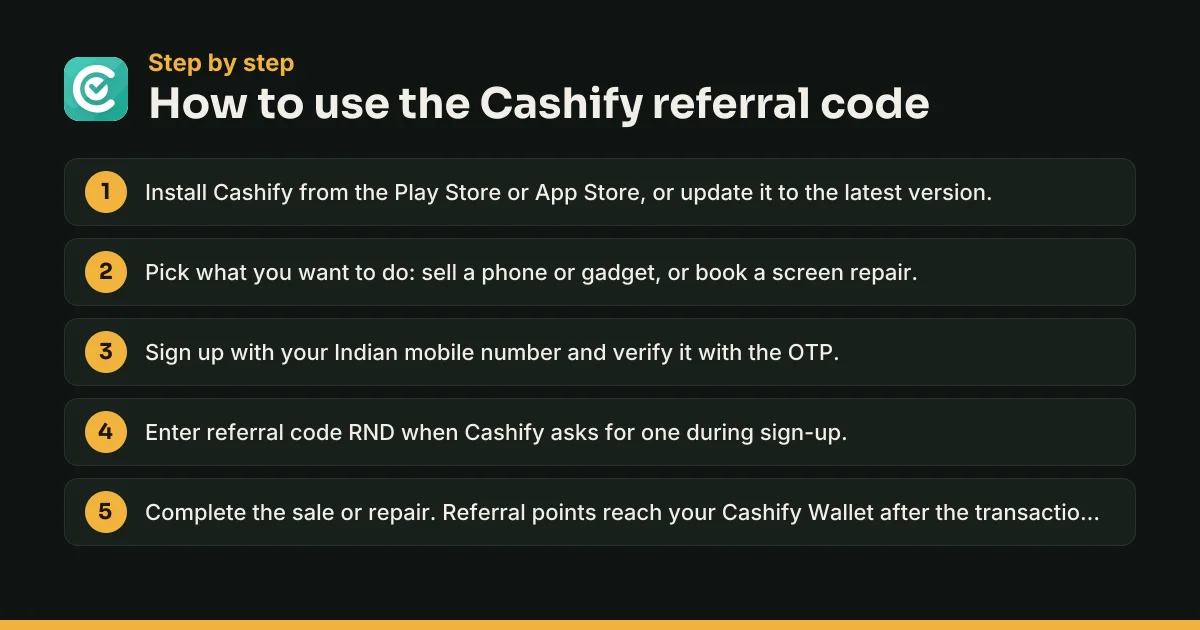
How to use the Cashify referral code
- Install the Cashify app or update it to the latest version.
- Choose what you want to do: sell a phone or other gadget, or book a screen repair.
- Sign up with your mobile number and verify it with the OTP. The referral programme needs the OTP to go to an Indian number.
- Enter RND when the app asks for a referral code during sign-up.
- Complete the sale or repair. Cashify credits your referral points after the transaction goes through.
Where to enter the referral code at Cashify login
Cashify's help pages say to use the code at sign-up, which happens on the login screen the first time you enter your number. If a referral code field appears there, fill it in before you finish creating the account. There is no published way to add a code to an existing account, so don't skip this step.
Cashify wallet points explained
Referral rewards are paid as My Points in your Cashify Wallet, not as cash in your bank. Cashify's Refer & Earn page calls them money-points and sets 1 point = ₹1.
- Redeeming: Cashify says you redeem points from the Refer & Earn section, using the options listed there.
- Validity: Points last for a limited time. Unused points lapse and are not renewed.
- No top-ups: You can't add your own money to the wallet. Only referral credits go in.
- No transfers: Points can't be exchanged or sent to another account.
An older Cashify help page still says referrers get ₹150 in Paytm cash per friend. Cashify's current Refer & Earn page and terms talk about wallet points instead and give no fixed figure, so go by what your app shows.
Where to find your own Cashify referral code
Every registered user gets a code. Cashify's help page lists these steps:
- Open the Cashify app and log in.
- Open the side menu and tap Refer & Earn.
- Tap Proceed to see your referral code.
- Tap Share to send it on WhatsApp, SMS or any other app.
On the website, log in and open the Refer & Earn page, where Cashify assigns your unique code.
How to get a Cashify referral code if it's not showing
Log in first, because codes are created only for registered users. If Refer & Earn is still missing, update the app and look again, or check the website. Cashify can suspend the programme or a single user's access, so a missing option may mean it is paused for your account.
How to refer friends on Cashify and earn
- Share your code with someone who wants to sell a phone or fix a cracked screen.
- Your friend signs up with your code and completes a transaction.
- Cashify credits points to your Cashify Wallet.
Keep these rules in mind:
- Invites are unlimited, rewards are not. You can invite as many friends as you like, but the referrer's bonus is capped, and the cap varies between offers.
- The code they use wins. If your friend signs up with someone else's code, that person gets the reward, even if you told them about Cashify first.
- Fraud is reversed. Points from fraudulent activity are taken back.
Cashify referral code not working?
If the code is refused or no points arrive, one of these is usually the reason.
The number has been used before
The friend must be new to Cashify, and the phone number can't have been used for an earlier Cashify transaction. Reinstalling the app doesn't change this.
The transaction isn't complete
Points arrive only after a transaction. If the pickup is cancelled or the sale doesn't go through, nothing is credited.
You used an emulator or a foreign number
Cashify's terms exclude Chrome App Runtime, emulators and simulators, and the OTP must go to an Indian mobile number. Sign up on a real phone with an Indian number.
The code was mistyped or skipped
Paste the code exactly, with no spaces. If you finished sign-up without it, the referral can't be attached later.
Your points disappeared
Check the validity in your Cashify Wallet, because expired points are not restored. For anything else, email support@cashify.in with your order number.
Cashify referral code today: is there a latest or free code?
Referral codes don't expire by year. A code shared in 2022, 2023, 2024 or 2025 works the same way as RND, because the reward comes from Cashify's current offer, not from the code itself. A "free", "latest" or "today" code won't unlock more points. If RND fails, the reason is almost always eligibility.
Other ways to save on Cashify
Cashify's Play Store listing describes a paid Cashify Gold Membership with ₹600 off your first refurbished purchase, 5% off (up to ₹1,000) on later ones, no processing fee, 10% off accessories and an extra ₹300 when you sell a phone. The fee and current benefits are shown in the app. Refurbished phones also come with a 6 or 12-month warranty and a 15-day refund, according to the same listing.
Cashify referral terms in short
The full rules are in Cashify's Refer & Earn terms. In short: new users only, an Indian number, points only after a transaction, points expire and can't be transferred, the referrer's bonus is capped, and Cashify can change the amounts or end the programme without notice.
Sell safely on Cashify
Before you hand over a phone, back up your data, sign out of your Google account or Apple ID, turn off Find My on an iPhone and take out the SIM and memory card. Cashify says it securely erases data, but clearing it yourself is safer. Book pickups only inside the Cashify app or on cashify.in. Ignore anyone selling a "special" referral code that promises a bigger payout, because every code gets the same offer.
More shopping referral codes
Browse all shopping and beauty referral codes to compare sign-up offers. You may also like the Tira referral code for beauty shopping, the Myntra referral code for fashion and the magicpin referral code for local deals.
Q: What is Cashify and what can I sell on it?
Cashify is an Indian platform for selling used gadgets, buying refurbished ones and getting phones repaired. Its Play Store listing says you can sell old phones, laptops, gaming consoles, smartwatches, TVs, DSLR cameras, speakers, tablets, earbuds and ACs. You pick the device, describe its condition, get a price from Cashify's AI-based calculator and book a free doorstep pickup. Cashify also runs a phone recycling service.
Q: Who owns Cashify?
Cashify is run by Cashify Limited, formerly Cashify Pvt. Ltd. and Manak Waste Management Pvt. Ltd., with its registered office in New Delhi. The company says it started in 2009 as ReGlobe and became Cashify in 2013. Its co-founders include CEO Mandeep Manocha, Amit Sethi and Nakul Kumar. Investors named on its website include Prosus, NewQuest Capital Partners, Bessemer Venture Partners and Blume Ventures.
Q: How does Cashify work out the price of my old phone?
Cashify uses an AI-based price calculator. According to its app listing, the quote depends on two things: the condition of your device, including scratches, dents and other wear, and current market trends. You answer a few questions about the phone in the app and see a price before you book a pickup. Answer the condition questions honestly, because the quote is built on your answers.
Q: How do I get paid after selling to Cashify?
Cashify offers free doorstep pickup and pays once the device is collected. Its Play Store listing says payment is instant, by cash, UPI or other methods, while its App Store listing mentions UPI, bank transfer or gift cards. Check which payment options the app offers for your order before the pickup, and make sure your UPI ID or bank details are correct.
Q: Are Cashify refurbished phones reliable?
Cashify says every refurbished phone passes a 32-point quality check and is graded Fair, Good or Superb based on use, with all grades fully working. Its app listing promises a 6 or 12-month warranty, a 15-day refund and help at 200+ service centres. A feature called Dekho aur Khareedo lets you watch a video of the actual phone before you buy it.
Q: Does Cashify sell refurbished Google Pixel phones?
Yes. In September 2025 Google named Cashify the trusted reseller for its refurbished Pixel programme in India. Google says these phones use genuine Pixel parts, come in a fresh box with a compatible charger and carry a one-year limited warranty from Cashify. You can buy them on the Cashify app, its website or at selected Cashify stores, with delivery to about 18,000 PIN codes.
Q: Can I buy a refurbished phone from Cashify on EMI or cash on delivery?
Cashify's Play Store listing names No Cost EMI, split payment, cash on delivery (COD) and UPI among the payment options for refurbished devices. Which ones you can use depends on the product and your order, so check the payment screen at checkout. Besides phones, Cashify sells refurbished laptops, smartwatches, tablets, gaming consoles and cameras, plus accessories and Amazon devices.
Q: Does Cashify have physical stores?
Yes. Cashify's About Us page says it runs more than 200 stores across 70+ cities, and its website lists stores in places such as Delhi, Gurugram, Noida, Bengaluru, Chennai, Pune, Patna and Thane. At a store you can sell a device, buy refurbished gadgets or get a repair. Use the store list on cashify.in to find the nearest one before you visit.
Q: How do I contact Cashify customer care?
Cashify's support email on its Play Store listing is support@cashify.in, and its website footer gives a support number, 7290068900, along with a chat option. For complaints that stay unresolved, the website names a grievance officer at grievanceofficer@cashify.in. Keep your order or service number ready, and use only contact details from the Cashify app or cashify.in.
Q: Is the Cashify app safe and widely used?
The Android app has over 5 crore downloads and a 4.5-star rating from about 6.18 lakh reviews on the Play Store, and the iPhone app shows 4.5 stars from around 77,000 ratings. Its Play Store data-safety section says data is encrypted in transit and that you can ask for it to be deleted. Even so, wipe your phone yourself before any pickup.
Q: Is Cashify planning an IPO?
Reports say so. Inc42 reported in March 2026 that Cashify had picked ICICI Securities, JM Financial and Nomura as bankers for an IPO of ₹1,500 to ₹1,800 crore, aiming to list in early 2027. The same report put its FY25 operating revenue at ₹1,095.9 crore and its net loss at ₹10.6 crore. Cashify was not listed on the stock market at the time of writing.
Q: Can I use a Cashify referral code for a screen repair instead of a sale?
Yes. Cashify's Refer & Earn FAQ says you can use a referral code when you sign up either to sell your phone or to get a screen repaired. The points are credited after you complete that transaction with Cashify. So if your first job is fixing a cracked screen, sign up with RND before you book the repair rather than after.
Q: I got two different referral codes. Which one gets the reward?
Only the code you actually enter at sign-up. Cashify's terms say that if a friend uses someone else's referral code, that person receives the benefit, even if you referred the friend first. A new account carries one referral, and there is no published way to switch it afterwards. Pick one code, paste it carefully and finish sign-up.
Q: Can I add my own money to the Cashify Wallet?
No. Cashify's referral terms say you cannot add funds directly to your Cashify Wallet. Only referral amounts are credited there, as My Points. That makes it a rewards balance, not a prepaid wallet you can load like Paytm. Only registered users can use My Points, and the balance and its validity are shown in the Wallet section of the app.
Q: Can I gift my Cashify points to a friend or family member?
No. Cashify's terms say referral points can't be exchanged or transferred to anyone else. They stay in the wallet of the account that earned them until you redeem them or they expire. If a family member who is new to Cashify wants the benefit, share your code with them instead, so they earn their own points on their first sale or repair.
Q: Do Cashify referral rewards change from one offer to another?
They can. Cashify's terms say the referrer's bonus is capped and that the cap can differ between referral offers. Cashify can also change reward amounts at any time. So two people referring friends a few months apart may see different amounts and limits. The current figure and cap for your account are on the Refer & Earn screen and its T&C.
Q: Can I join the Cashify referral programme from outside India?
No. Cashify's Refer & Earn terms say the programme is open only to users in India, and the sign-up OTP must be sent to an Indian mobile number. A friend living abroad can't join with a foreign number. If you are an NRI selling a phone in India, you will need an active Indian number that can receive the OTP.
Q: Why didn't my referral count when I signed up through an emulator on my PC?
Cashify's terms do not allow the app to be used through Chrome App Runtime, emulators or simulators for the referral programme. If you installed the Android app on a computer through an emulator, the referral may not be tracked or may be rejected. Sign up on a real phone instead, with an Indian mobile number that has never been used on Cashify.
Q: Did Cashify use to pay referral rewards through Paytm?
Yes. An older Cashify help page, still online, says you earn ₹150 in your Paytm account for each friend who completes a first transaction with your code. Cashify's current Refer & Earn page and terms describe rewards as points in the Cashify Wallet instead, at 1 point = ₹1, without stating an amount. Treat the ₹150 Paytm figure as outdated unless your app shows it.
Q: Can Cashify cancel my referral points?
Yes. Cashify's terms let it suspend or end the Refer & Earn programme, or a single user's participation, at its discretion, and revoke points earned through fraudulent activity. It can also change the terms without notice, and unused points lapse when their validity ends. The safest approach is to refer only real friends and spend your points well before the expiry date in your wallet.
Cashify offer terms to know
- Only new Cashify users qualify, and the mobile number must not have been used for any earlier Cashify transaction.
- Points are credited only after the new user completes a transaction with Cashify, such as a sale or a screen repair.
- Rewards are paid as My Points in the Cashify Wallet (1 point = ₹1). They can't be exchanged, transferred or topped up with your own money.
- Points expire. The validity is shown in your Cashify Wallet, and unused points are not renewed.
- The referrer's bonus is capped, and the cap can differ from one referral offer to another.
- The programme is for users in India only. The OTP must go to an Indian number, and emulators or simulators are not allowed.
- Cashify can change reward amounts, revoke points from fraud, or end the programme at any time without notice.
Cashify Referral Code: quick FAQs
What is the Cashify referral code?
The Cashify referral code is RND. Enter it when you create a new Cashify account, then complete a sale or screen repair to get referral points in your Cashify Wallet.
Is there a Cashify referral code for new users?
Yes. Referral codes work only for new users. Your mobile number must be Indian and must not have been used for any earlier Cashify transaction.
Where is my referral code in Cashify?
Log in to the Cashify app, open the side menu, tap Refer & Earn and then Proceed. Your code appears with a Share button.
Why is my Cashify referral code not working?
Usually because the number was used on Cashify before, the code was skipped at sign-up, the first transaction isn't complete yet, or the app was run on an emulator.
How much is one Cashify point worth?
Cashify's Refer & Earn page says 1 point = ₹1. Points are credited to your Cashify Wallet and expire after the period shown there.
Can I withdraw Cashify referral points as cash?
Cashify doesn't list a cash withdrawal. Points stay in your Cashify Wallet, can't be transferred, and are redeemed from the Refer & Earn section using the options shown there.
Cashify ka referral code kya hai?
It is RND. Enter it while signing up on Cashify as a new user, and you get wallet points after your first sale or screen repair.
Do I need a referral code to sell my phone on Cashify?
No. Anyone can sell, buy or repair on Cashify without a code. Signing up with RND only adds referral points to your wallet.
Written by Recharge n Deals Team
We sign up for every app we list, test the code ourselves and recheck it when the offer changes. Read how we test codes. Code not working? Tell us and we'll recheck it.
Disclaimer: Cashify is a trademark of its owner. We are not affiliated with Cashify. Offers are set by Cashify and can change at any time; check the app before you sign up.